
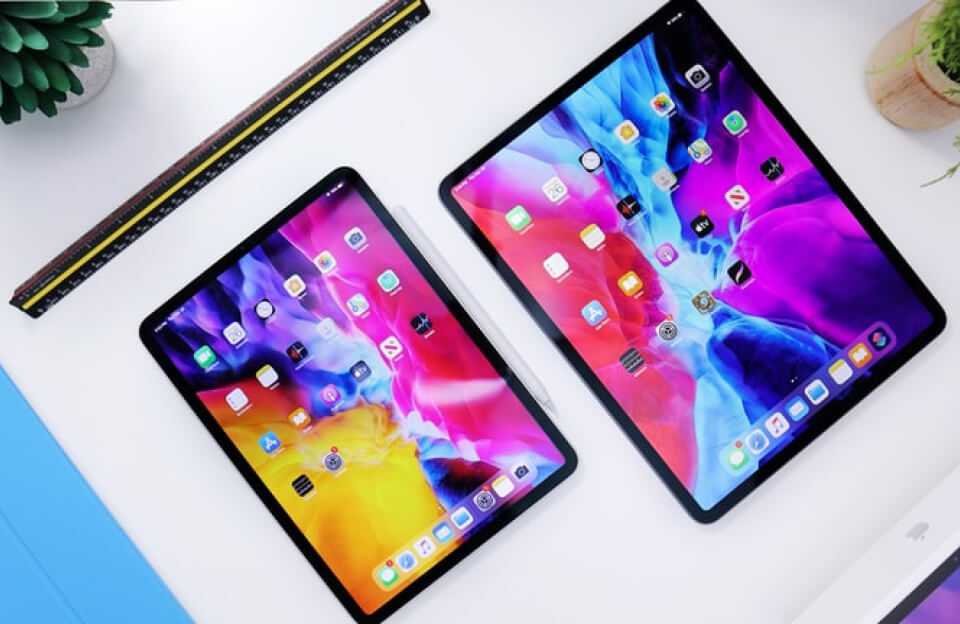
The idea of the iPad Pro with an M3 chip bringing the “MacBook Pro power” is a common theme with every new iPad Pro generation. While the M-series chip itself is virtually identical (or in the case of the most recent iPad Pro, even a newer generation, M5, than the current MacBook Air, M3), the real difference lies in the software and thermal design.
Note: The latest iPad Pro models actually feature the M5 chip (released October 2025), surpassing the M3 chip currently in the MacBook Air.1 However, the core comparison points remain the same for any M-series chip.
Here is the breakdown of why the iPad Pro has the raw power of a MacBook Pro, but not necessarily the functionality:
🚀 1. Raw Power: Identical Silicon
At the fundamental hardware level, the iPad Pro delivers on the promise of MacBook Pro-level performance:
- Same Chip Architecture: The Apple M-series chips (M3, M4, M5) used in the iPad Pro are the same silicon, with the same CPU, GPU, and Neural Engine cores, as those found in the MacBook line.
- Thermal Constraints: While the chips are the same, the extremely thin design of the iPad Pro (especially the latest models) means it cannot sustain peak performance for as long as the MacBook Pro, which has active fans and a much larger thermal mass. The iPad Pro will throttle performance sooner under sustained, heavy load.
- Pro-Level Features: The iPad Pro supports high-end features enabled by the M-series chips, such as hardware-accelerated Ray Tracing for stunning visuals in games and 3D rendering apps, and support for Thunderbolt for high-speed external storage and display output.2
💻 2. The Bottleneck: iPadOS vs. macOS
The primary barrier preventing the iPad Pro from truly replacing a MacBook Pro is the operating system, iPadOS.
| Feature | MacBook Pro (macOS) | iPad Pro (iPadOS) |
| Multitasking | Full window management (Exposé, Spaces). | Stage Manager is a step forward, but still constrained. |
| Pro Applications | Full desktop versions (e.g., Final Cut Pro, Xcode, Blender, Adobe CC). | Mobile versions, often lacking key features, plugins, or tools. |
| File System | Finder offers robust, deep-system file access and management. | Files app is limited, often making complex projects difficult. |
| Peripheral Support | Full driver support for external displays, hubs, and accessories. | External display support is often restricted; fewer compatible drivers. |
The M3/M4/M5 chip is often overpowered for the tasks iPadOS currently allows, leading to the common observation that the iPad Pro has power it can’t fully use.
🖼️ 3. Display and Input: Where the iPad Pro Wins
The iPad Pro has surpassed the MacBook Pro in two key hardware areas (at the time of the M3 MacBook Pro and M5 iPad Pro):
- Superior Display: The latest iPad Pro features the Tandem OLED (or Ultra Retina XDR) display, which offers brighter, more vibrant colors, and perfect black levels compared to the Liquid Retina XDR (Mini-LED) screens on many MacBooks.3
- Versatile Input: The iPad Pro is a tablet first, offering touch input and Apple Pencil support for drawing, annotating, and design, which the MacBook Pro lacks entirely.4 Its Magic Keyboard accessory is an attempt to close the laptop gap, but it is an extra, expensive purchase.5
The iPad Pro with the M-series chip is the perfect device for professionals whose workflow is focused on touch and creativity (e.g., illustrators, photo/video editors who prefer touch controls). However, for users who rely on complex multitasking, coding, virtual machines, or specific legacy apps, the MacBook Pro with macOS remains the only true “Pro” option.
Would you like to know the price difference between a comparably configured iPad Pro and a MacBook Air/Pro?